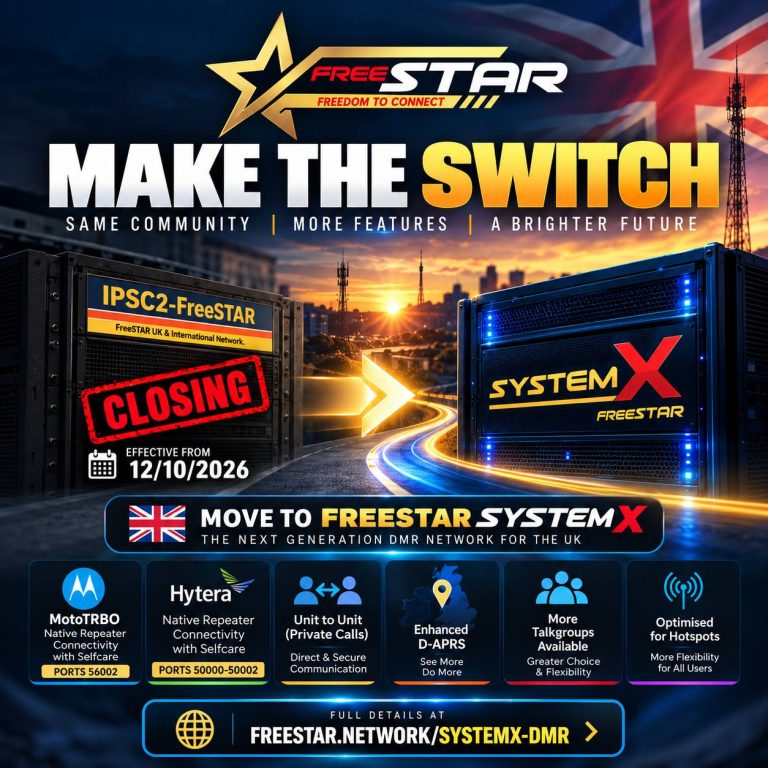
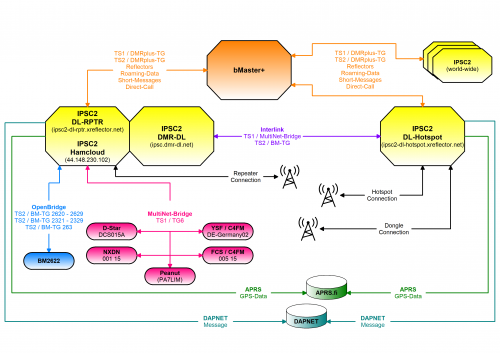
We have decided to close down the IPSC2-FreeSTAR DMR Server effective on the 12/10/2026. This server has served DMR for the UK and DMR+ reflector 44 block for some time now and it has done it well. Due to costs and software limitations we have decided to close it down.
The FreeSTAR Network already runs its own DMR servers called SystemX.. so it makes sense to utilise these servers more!
***For users currently on IPSC2-FreeSTAR*** Please move to FreeSTAR SystemX United Kingdom 🇬🇧 Pi-Star: (FreeSTAR_UnitedKingdom) WPSD: (SystemX_UnitedKingdom)
We have currently implemented new features including: Native ***MotoTRBO*** Repeater connectivity including Selfcare.. (ports 56002) Native ***Hytera Repeater*** connectivity including selfcare (ports 50000-50002) Unit to Unit (Private Calls) Enhanced ***D-APRS*** And more!!
We have more Talkgroups available on SystemX than IPSC2 and more flexibility for hotspot use.
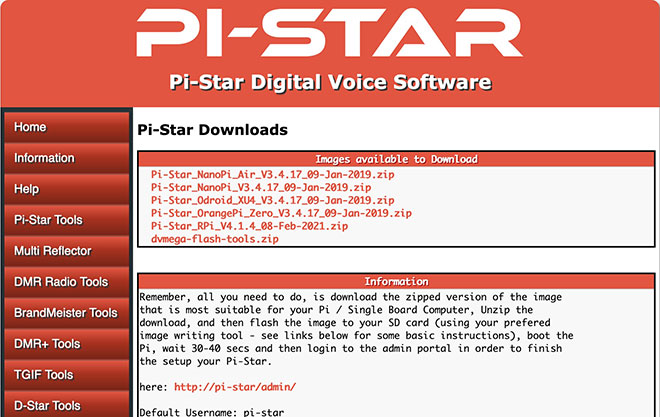
Click “Configuration”. You may need to enter the username and password, default “pi-star”, “raspberry”.
Click “Update” in the navigation bar.
Once update has finihsed, navigate back to “Configuration”.
Scroll down to “DMR Configuration”
Select the “DMR Master” drop down list and look for “DMR+_IPSC2-FreeSTAR”.
Click “Apply Changes”
(Optional) After applying changes scroll back down to DMR Configuration to add static talkgroups in the “DMR Options” field, for example; TS1_1=235;TS1_2=2351;TS2_1=2350;
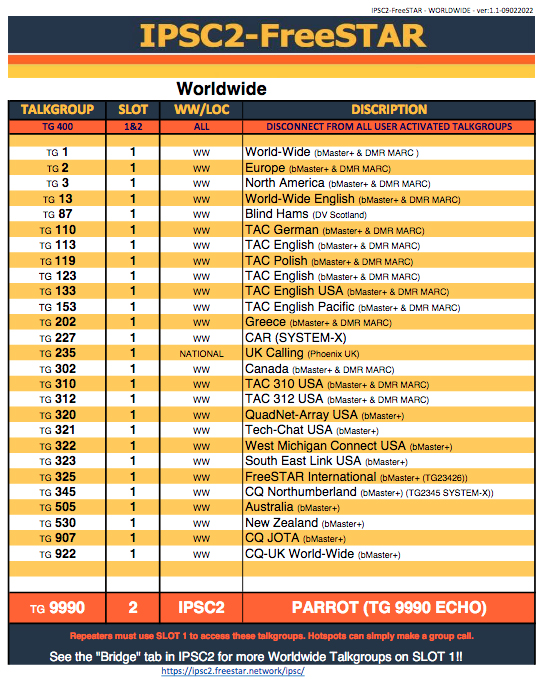
Worldwide talkgroups via bMaster+. These talkgroups can be accessed worldwide from any IPSC2 server. Some talkgroups are connected to the DMR+, DMR MARC system and other systems such as BrandMeister.
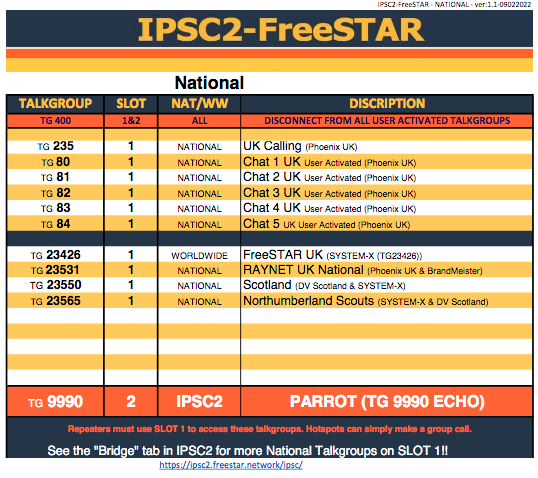
National talkgroups are specific to the UK & Ireland. These talkgroups can be accessed direct from the server and its participating interlinks and OpenBridge’s.
Reflectors are “Rooms” and are sometimes mapped to specific Talkgroups. These are shared worlwide accross the bMaster+ IPSC2 network. Please use TG 9 for reflector use.
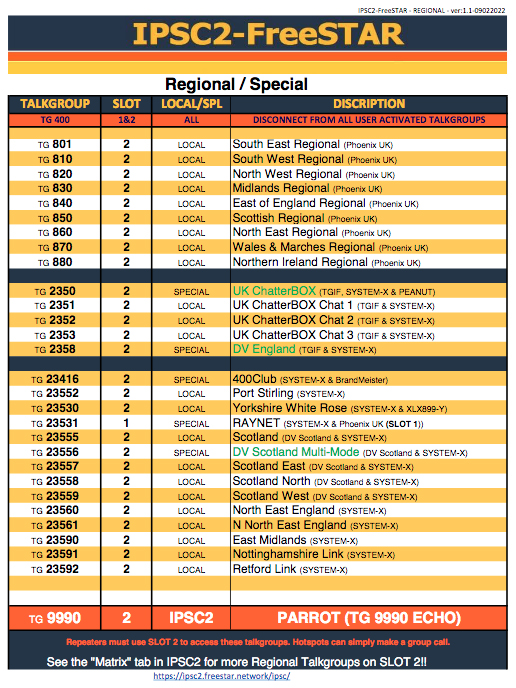
**Note – The Phoenix Network, (now DV-Scotland), no longer map TG235, 80-84 & regional talkgroups via the DMRplus Reflector system, eg. 4400, 4430 etc. This was a decision made by the Phoenix network (DV-Scotland). IPSC2-FreeSTAR shares all National and Regional talkgroups (that are local to our UK server) to the DMRplus Reflector system as standard. We recognise that some people still activly use the DMRplus Reflector system to connect to their local groups and regional areas.